Zorkout 1.08: Futuristic skin, rally count, session score
What's new in Zorkout 1.08 for Apple Watch: a Futuristic skin, rally count and session score in swing analysis, and a heart-rate pulse on your zone bar.
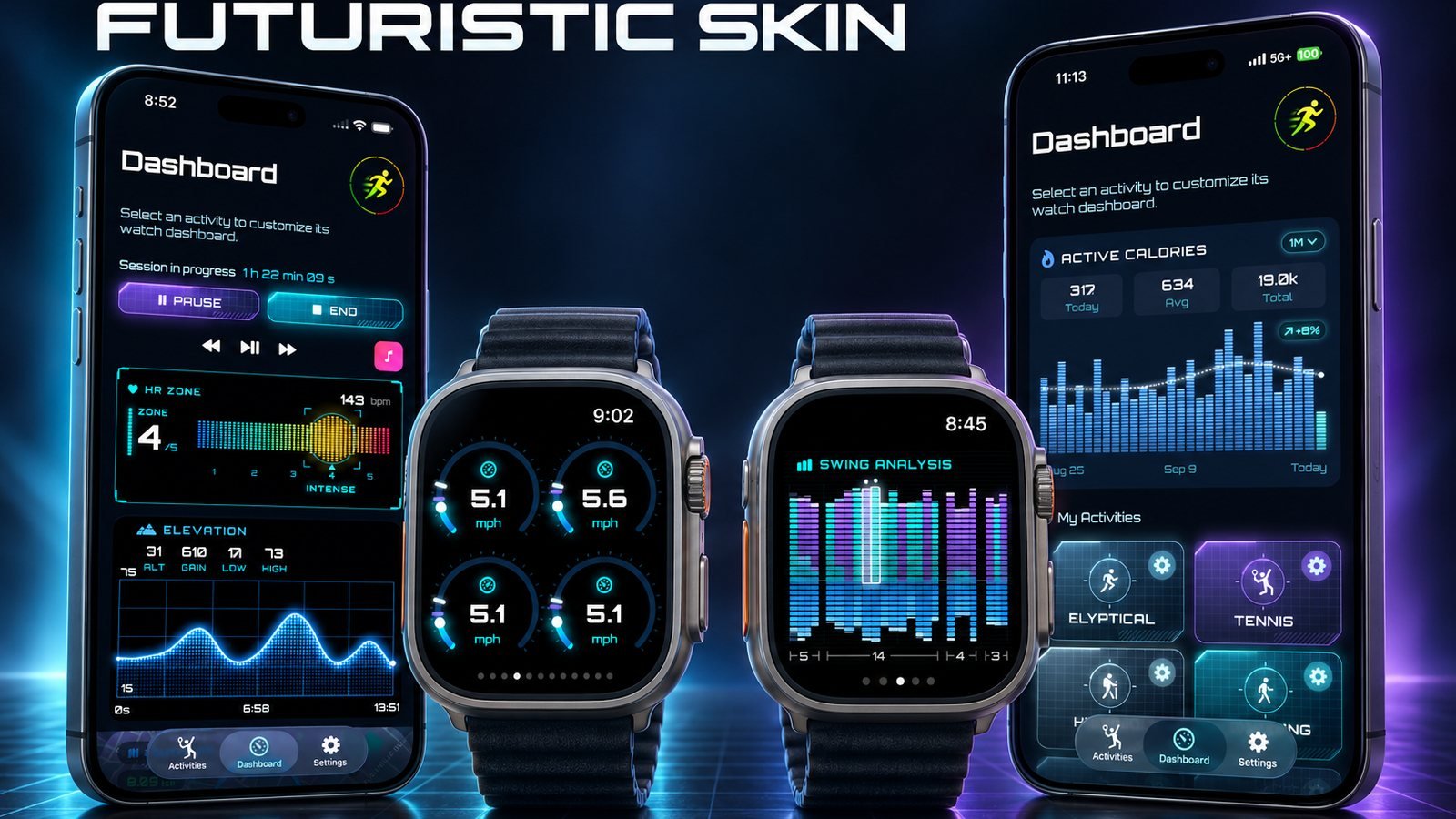
Zorkout 1.08 is live on the App Store. It is a small update with three changes you will notice on court and on the trail: a new Futuristic skin, two new numbers in swing analysis — rally count and a session score — and a heart-rate zone bar that now pulses with your heart rate. Here is what each one does and how to get the most out of it this week.
What’s new in Zorkout 1.08
A Futuristic skin. Until now every Zorkout dashboard used the classic ring layout: big numbers inside coloured arcs, one ring per metric. Version 1.08 adds a second look, a sci-fi style skin with thin neon gauges in cyan and violet on black. Same metrics, same layout logic, a different visual language. If you find the rings too “Apple Fitness”, this is for you; if you prefer the rings, nothing changes.
Rally count. Swing analysis already counted your shots and split them into forehands and backhands. 1.08 adds rallies: consecutive exchanges are grouped and counted, so at the end of a set you can see not just how many balls you hit but how many points actually turned into a rally. For a club player that is the difference between a session of serves and returns and a session where you were made to run.
Session score. Each racket session now closes with a single intensity score out of 100, shown against your previous sessions — “solid, 60/100, versus your last 2 sessions” is the kind of line you will read on your wrist after the match. It is not a rating of how well you played; it is a summary of how hard the session was, built from what the watch measured. Use it to compare a Tuesday drill against a Saturday match, not to judge a match you lost.
A pulse on the zone bar. The heart-rate zone bar — green through yellow and orange to red — now pulses in time with your heart rate. It sounds cosmetic; in practice it is the fastest way to know you are still in zone without reading a number, which is exactly what you want mid-rally or on a climb.
Everything in this release is listed in the App Store’s “What’s New” for Zorkout version 1.08.
How to use it on your watch this week
- Update, then open the iPhone app first. Dashboards are designed on the iPhone and mirrored on the watch, so the new skin and the new swing metrics show up on the wrist once the companion app has synced.
- Try the Futuristic skin on one sport only. Keep your running or cycling dashboard on the classic rings and switch your tennis or padel dashboard to Futuristic. Two sessions later you will know which one you read faster at speed — that, not looks, is the test.
- Add rally count to your racket dashboard. If your tennis screen already shows swings and forehand/backhand counts, swap one of them for rally count. Shots tell you how much you hit; rallies tell you how much you played. See how swing analysis works for the full list of racket metrics.
- Read the session score after, not during. It is a post-session number. During play, keep your eyes on heart-rate zone and swing speed; save the score for the walk back to the car, and compare it with the same kind of session, not with everything.
- Let the pulse do the reading. With the zone bar pulsing, you can drop the numeric heart rate from a busy dashboard and free a slot for pace, cadence or elevation. The full metric list has 50+ options to choose from.
Two honest limits. Rally detection is built on the watch’s motion data, so a long feed-and-catch drill with no real exchange may not register as rallies — that is the sensor doing its job. And the session score compares you with you: it says nothing about the level of your opponent.
Your watch, your metrics
The point of 1.08 is the same as the point of Zorkout: you decide what the watch shows. Some players want a single big rally count and nothing else; some want the classic four rings; some want neon gauges and a pulse. All three are one tap away in the iPhone app, and none of them need a sensor on the racket.
If you have not tried the swing analysis yet, this is a good week to start: download Zorkout free, build a tennis or padel dashboard, and let the watch count the rallies.
Questions athletes ask
Is Zorkout 1.08 a free update?
Yes. Zorkout is free to download and every update, including 1.08, is free. Zorkout Pro is an optional subscription at $0.99 a month or $5.99 a year, managed through your Apple ID.
Do I need a racket sensor for rally count?
No. Zorkout's swing analysis, including the new rally count and session score, uses the motion sensors already inside your Apple Watch. Wear the watch on your racket hand and play.
Which Apple Watch models run Zorkout 1.08?
Any Apple Watch running watchOS 26.2 or later, paired with an iPhone on iOS 26.2 or later. The iPhone app also runs on Apple-silicon Macs.
Sources
Written by the Zorkout Training Desk at Zysco. We cite primary sources, keep numbers as published, and mention Zorkout only where it genuinely helps.